


How to add a widget to WordPress?
- Copy your embed code provided by TickCounter. If you don't have a counter yet, go and make one.
-
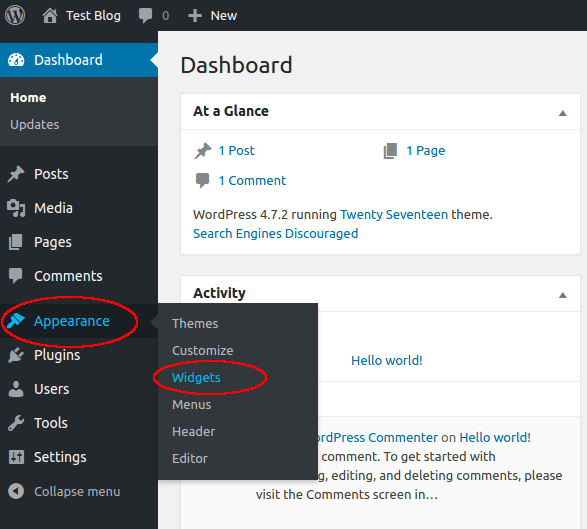
In WordPress, go to Appearance and then Widgets.
-
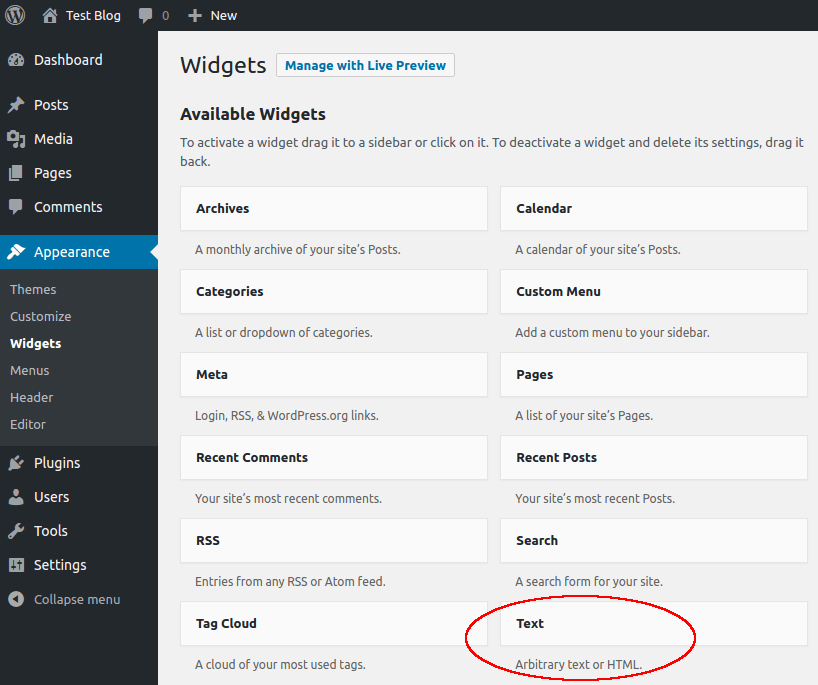
Click on Text widget.
-
Choose a section of your blog (e.g. Sidebar) and click on Add Widget.

-
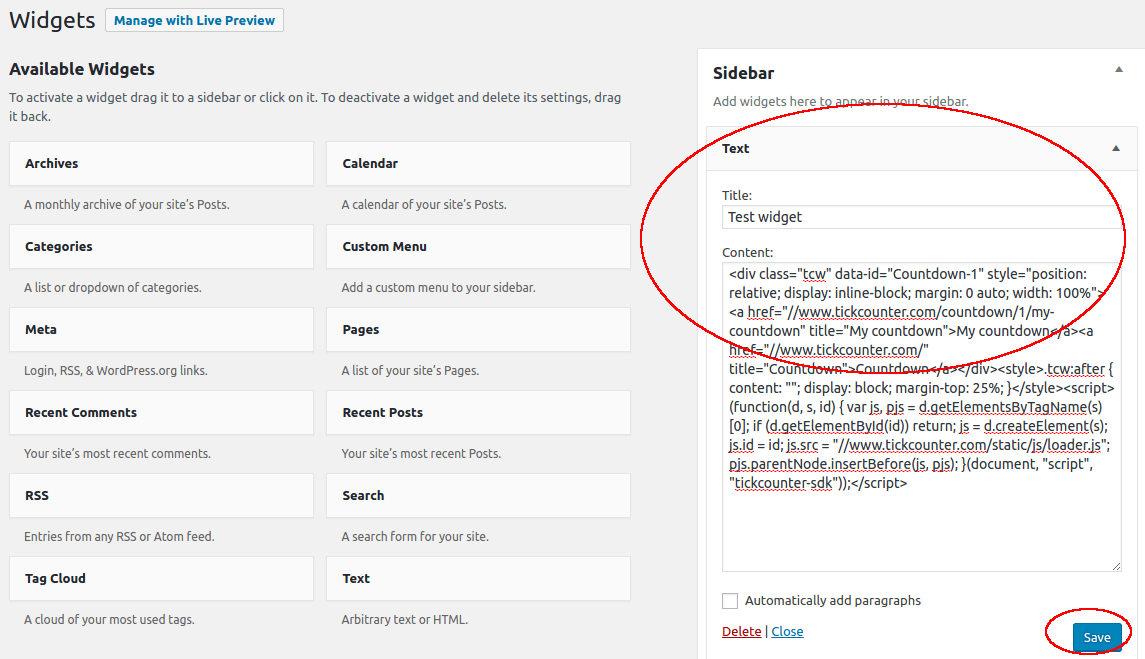
Paste widget code in the Content field and optionally provide a title. Click Save.
-
That's it. Enjoy your widget!

In order to remove a link to TickCounter from your widget, you will need a premium account.
If you need additional help, don't hesitate to contact us at tickcounter@tickcounter.com.