


How to add a widget to Canva?
Recommended:
Use our
official Canva app
— the easiest way to add TickCounter to your design.
Prefer the classic embed method? Follow the steps below.
- Copy your counter URL address. If you don't have a counter yet, go and make one.
-
In the Canva editor, choose Apps from the left menu and find Embed app. Click on it.
Note: If you don't see Embed app there, please use our official app instead.
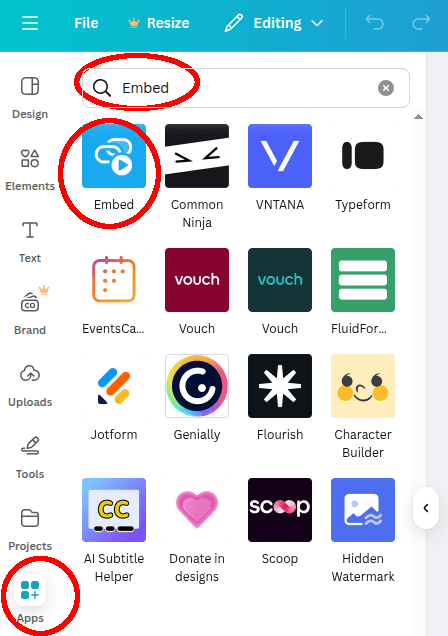
-
Paste your copied URL in the text field and click the Add to design button.
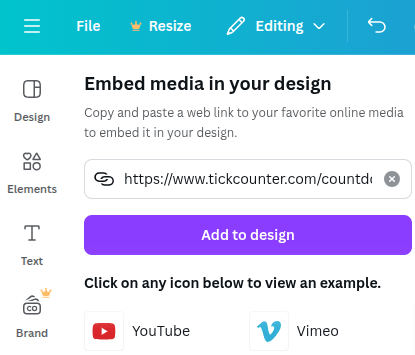
-
All done. Happy counting!
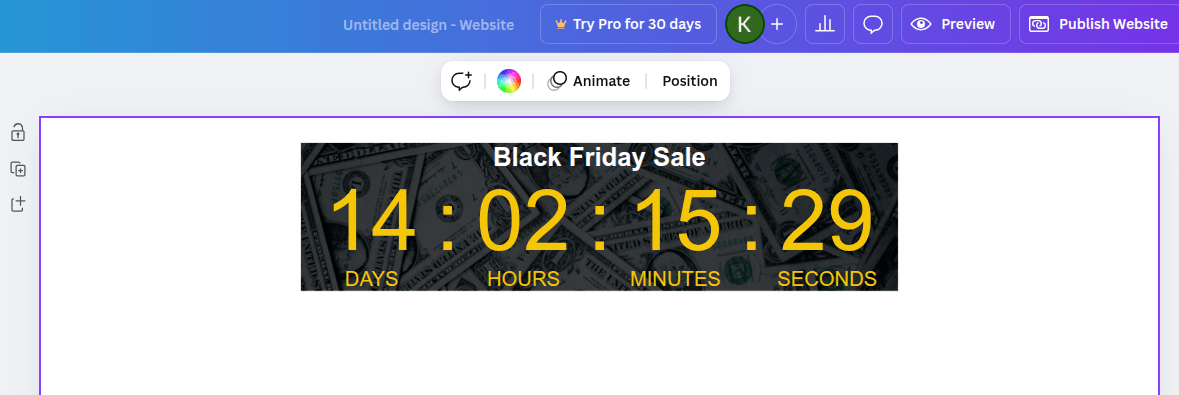
To remove a link to TickCounter from your widget, you will need a premium account.
If you need additional help, don't hesitate to contact us at tickcounter@tickcounter.com.